Sling TV · Principal Product Designer · 2014–2015

Headhunted from STARZ
to Drive Innovation at
America's First
Live TV Streaming Service

Embedded in Acumen Digital — Sling's internal innovation lab — with an unrestricted mandate to reimagine the live streaming experience across every device and surface. Led a cross-vendor team of designers, shipped across TV consoles, mobile, and web, and designed the Channel Navigator: a tool that let customers build their own channel lineup from scratch.

Headhunted
CPO-recruited from STARZ
for innovation mandate
4+
Cross-vendor designers
led across the org
6×
Platforms: TV consoles,
iOS, Android, web, Xbox
R&D
Unrestricted innovation lab —
some shipped, some R&D
Role
Principal Product Designer
Engagement
Acumen Digital innovation lab
Timeline
2014–2015
Team
Cross-vendor org of 4 designers
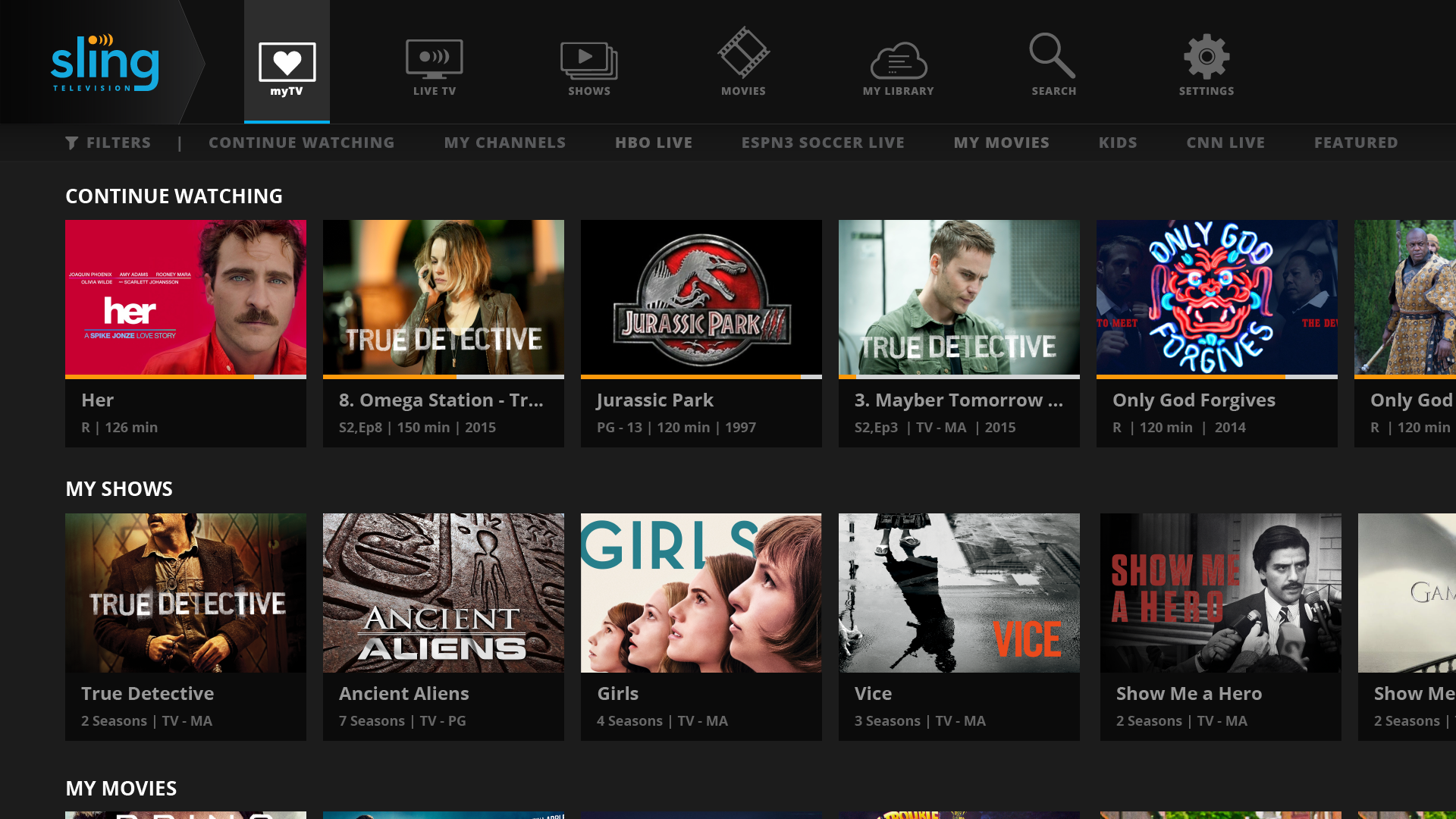
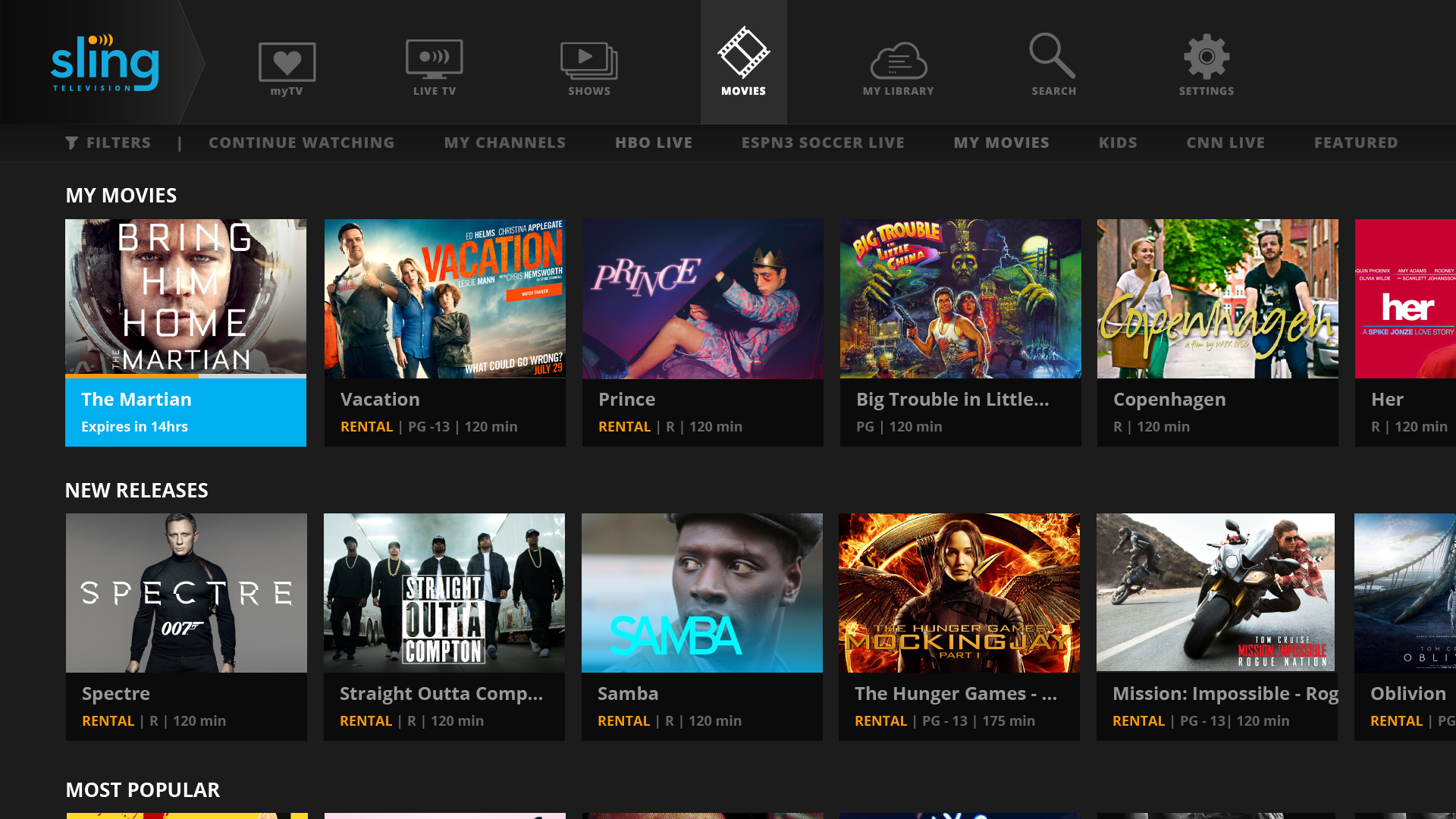
Sling TV 10-foot experience on Samsung TV
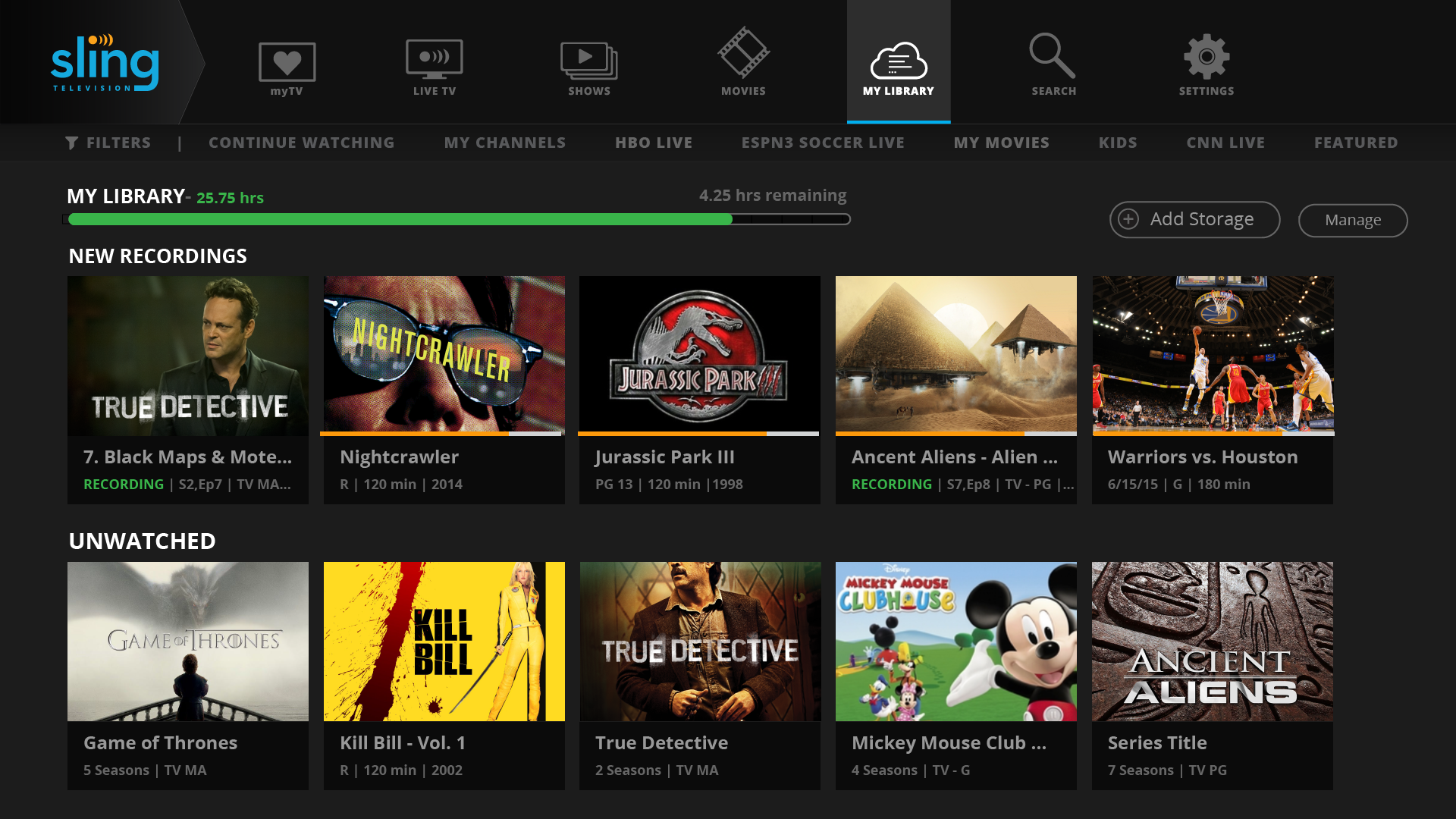
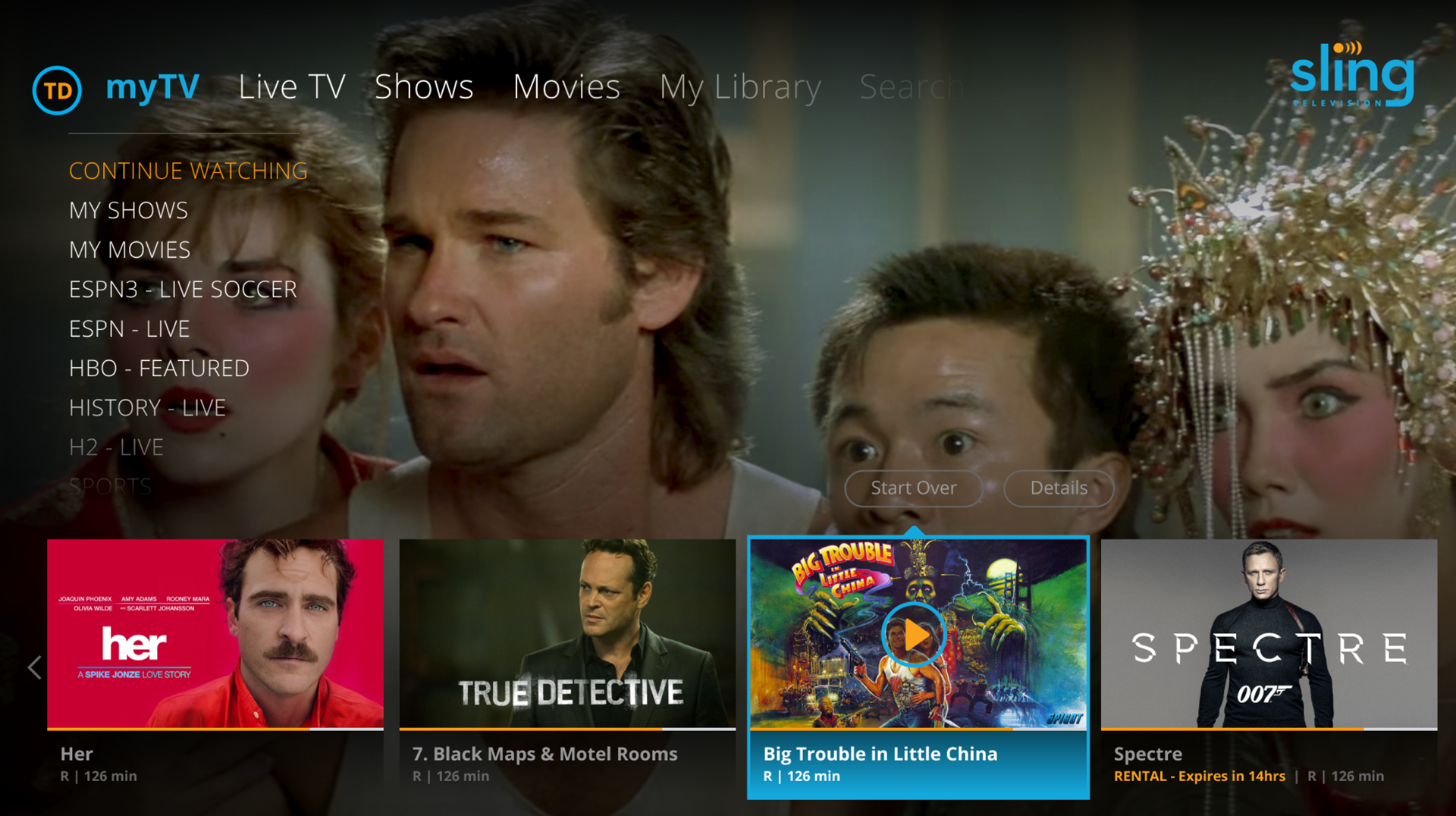
Sling TV — 10-foot Samsung TV experience. Live TV, Shows, Movies, My Library — a unified content navigation system designed for remote-first interaction on any TV surface.

How this engagement worked

Acumen Digital:
unrestricted mandate, cross-vendor team, CPO-direct

Sling TV launched in 2015 as the first live TV streaming service in the US — a genuinely new product category with no established design conventions. The CPO needed a designer who could operate at the frontier: not iterating on an existing product, but imagining what live streaming could become across every screen in a customer's life.

I was brought in directly from STARZ — headhunted for the specific combination of streaming experience and innovation thinking — and embedded in Acumen Digital, an innovation lab that operated with deliberate separation from the main Sling product team. No legacy constraints. No "that's how we've always done it." Pure exploration, working directly with the CPO, producing the concepts that would define Sling's next phase.

The cross-vendor team structure meant coordinating designers across different organizational contexts — a skill that translates directly to the multi-team, multi-stakeholder leadership work that defines VP-level design roles. Not just designing, but directing design across organizational boundaries.


Scope of Work

Six surfaces. Multiple workstreams. One coherent streaming vision.

The mandate covered the entire Sling product surface — nothing was out of scope. Some of the work shipped directly into the product. Some became R&D that shaped the roadmap. All of it was grounded in the same question: what does live TV streaming look like when it's designed for the person watching, not for the cable company that used to own the relationship?

📺 Smart TVs 🎮 Xbox 📡 Roku 🔥 Fire TV 📱 iOS 🤖 Android 🌐 Web
📺
10-Foot TV Experience
Complete UI redesign for TV consoles — remote navigation, content focus states, channel switching, cloud DVR management, and transport controls across Samsung, Roku, Xbox, and Fire TV.
🗂️
Channel Navigator
The innovation centerpiece — a tool that let customers cherry-pick their own channel lineup instead of accepting a fixed bundle. Ahead of its time in the industry.
💳
Checkout & Billing
Redesigned subscription checkout flow and account management. Reduced friction in the path from browse to subscribe, and streamlined billing management for existing customers.
📱
Mobile App (iOS + Android)
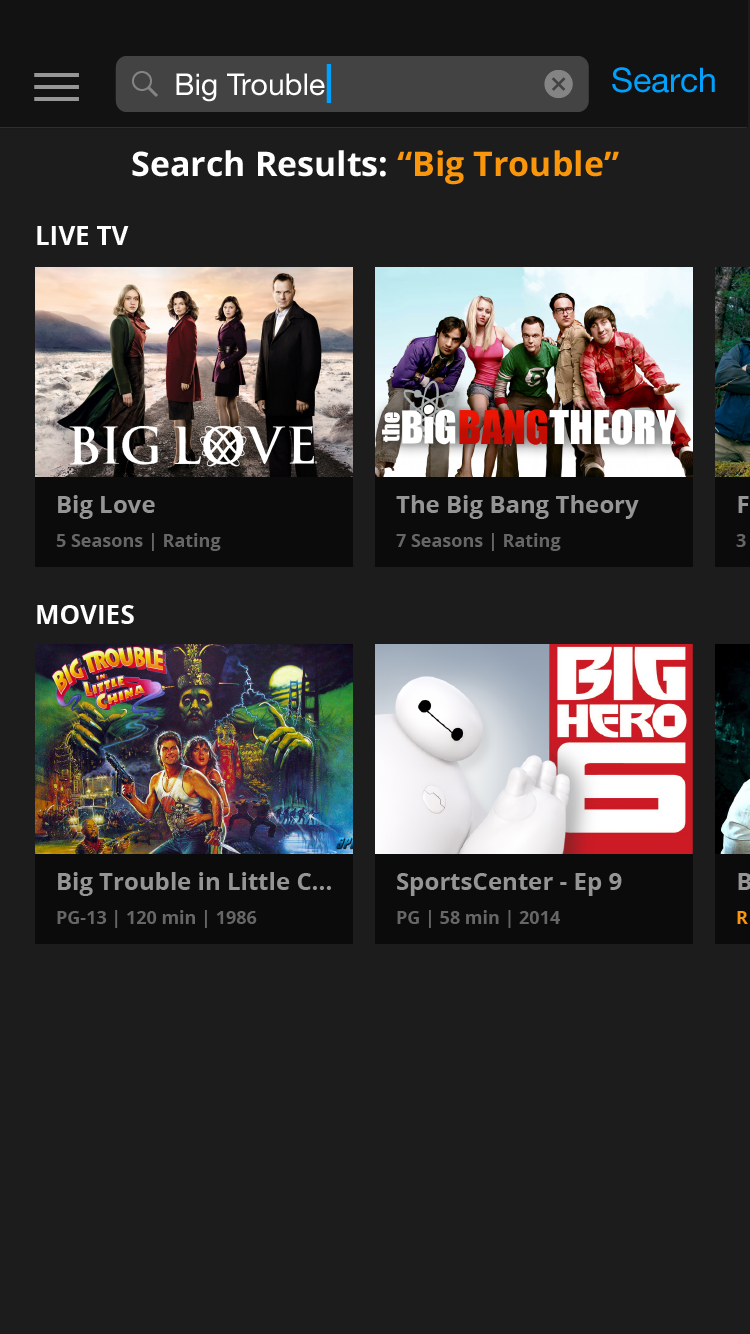
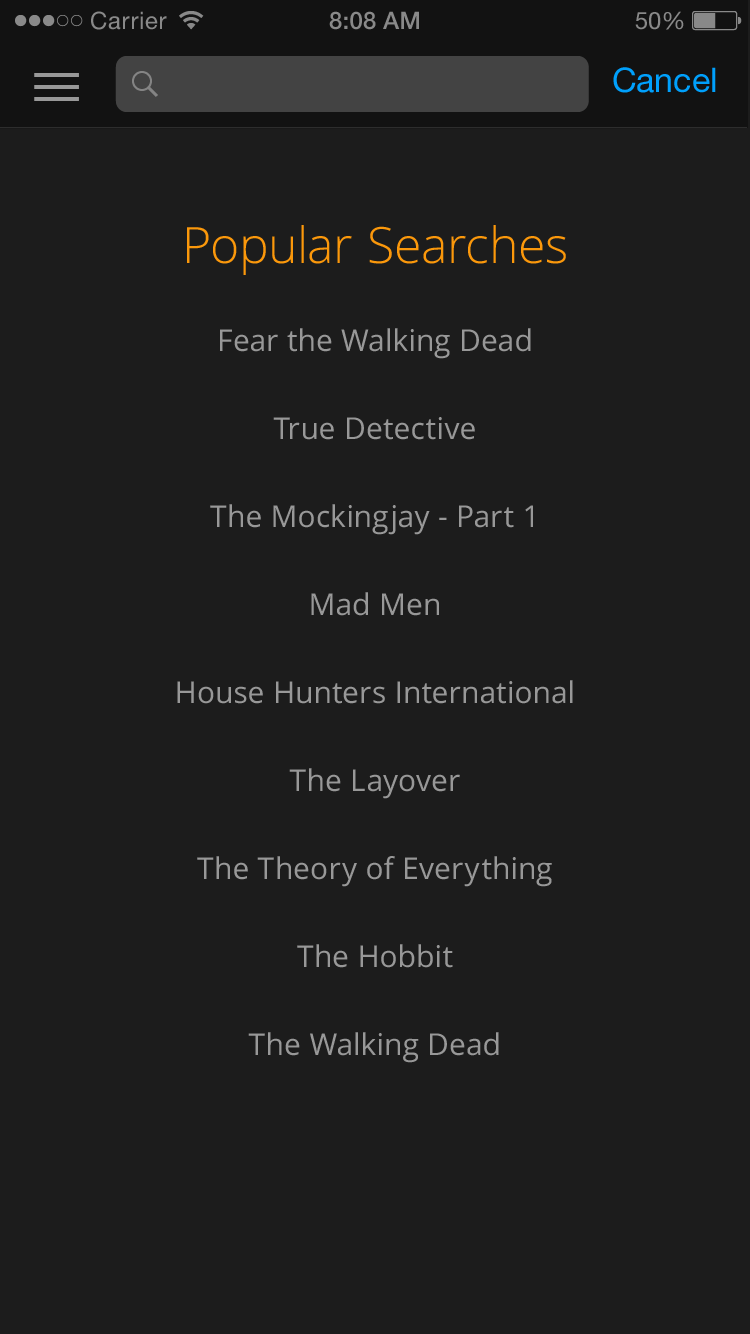
Full mobile redesign — live TV player, content discovery, sports hub with live game detail, series detail, search, and settings. Native feel across both platforms.
▶️
Web Player
Browser-based live streaming experience optimized for desktop. Unified with the mobile and TV experience while respecting the different interaction model of a mouse-driven interface.
⚙️
Account Management
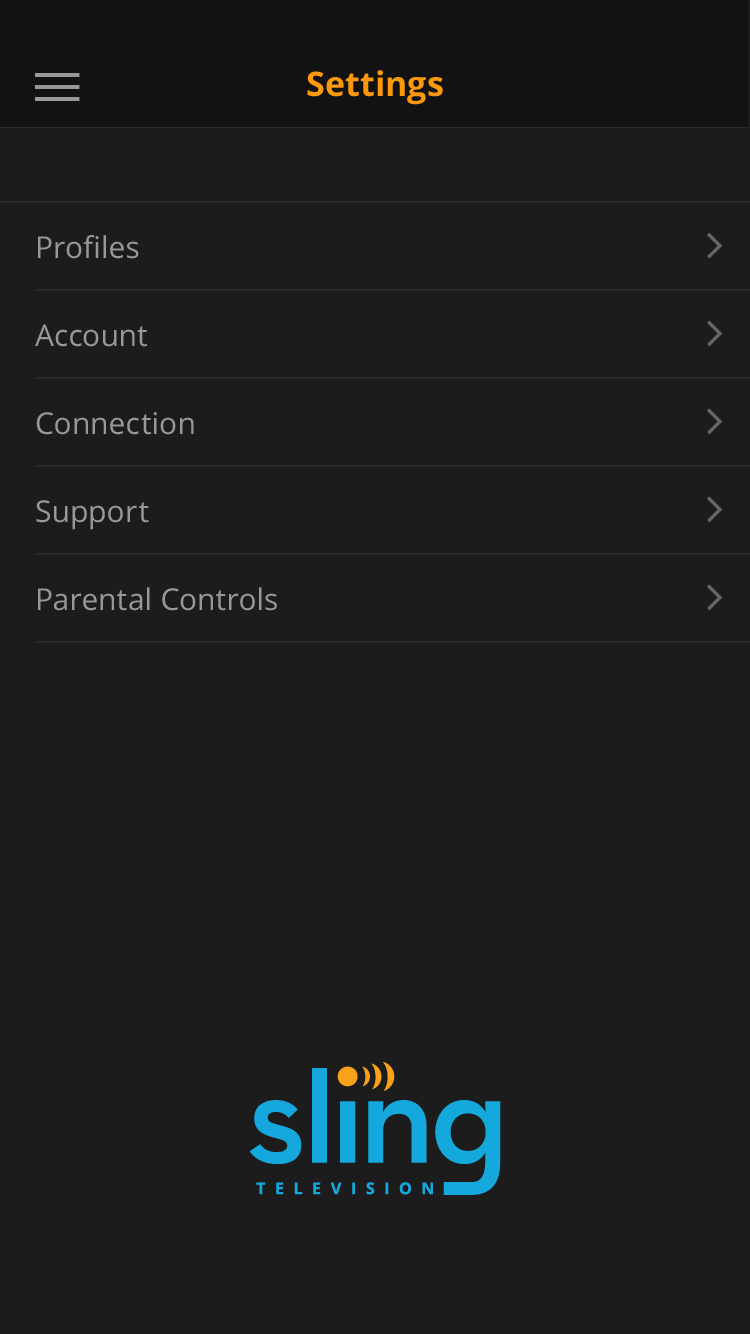
Settings, profile management, subscription controls, and billing — designed for a customer who wanted to manage their cord-cutting subscription without calling anyone.

The differentiating feature

Channel Navigator: build your own lineup, channel by channel

The cable bundle was the thing cord-cutters hated most. You paid for 200 channels to watch 12. Sling's base packages were already a step forward — but the Channel Navigator was the next leap: a tool that let customers cherry-pick exactly the channels they wanted, building a fully custom lineup from the ground up.

The design challenge was making that choice feel empowering rather than overwhelming. When you can pick anything, the decision architecture matters enormously — how channels are grouped, how add-ons are previewed, how the running cost is surfaced in real time as a customer builds their plan. The Channel Navigator was designed around progressive disclosure: start with the essentials, layer in what you actually want, see your cost update live.

This was the feature that made Sling genuinely different from the competition — and it was an innovation lab project before it was a shipped product. The design thinking behind it became part of how Sling thought about customer-controlled packaging for years.


TV Console Experience

A 10-foot interface designed for every remote, every resolution, every living room.

The 10-foot TV experience was the most technically constrained design surface — different remotes, different hardware limitations, different resolution targets across Samsung smart TVs, Roku, Xbox, and Fire TV. The challenge wasn't just visual design; it was interaction architecture. Remote-control navigation requires a fundamentally different focus-state model than touch or mouse — every state transition had to work with a d-pad, every action had to be reachable with the minimum number of button presses.

The modular design framework we developed allowed the same core interaction patterns to adapt across device constraints, while maintaining a visually consistent experience that felt like one product regardless of which remote was in the viewer's hand.
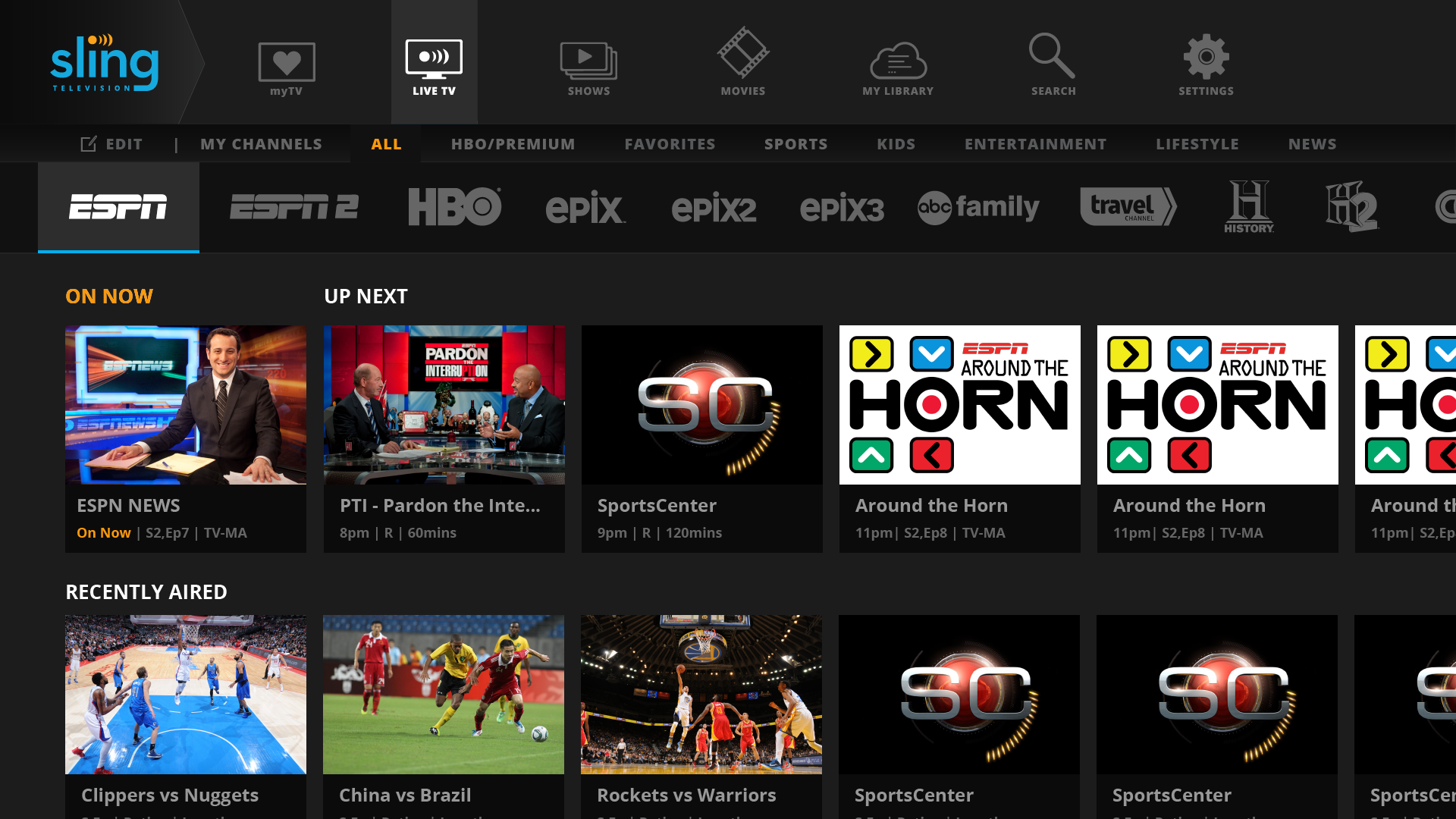
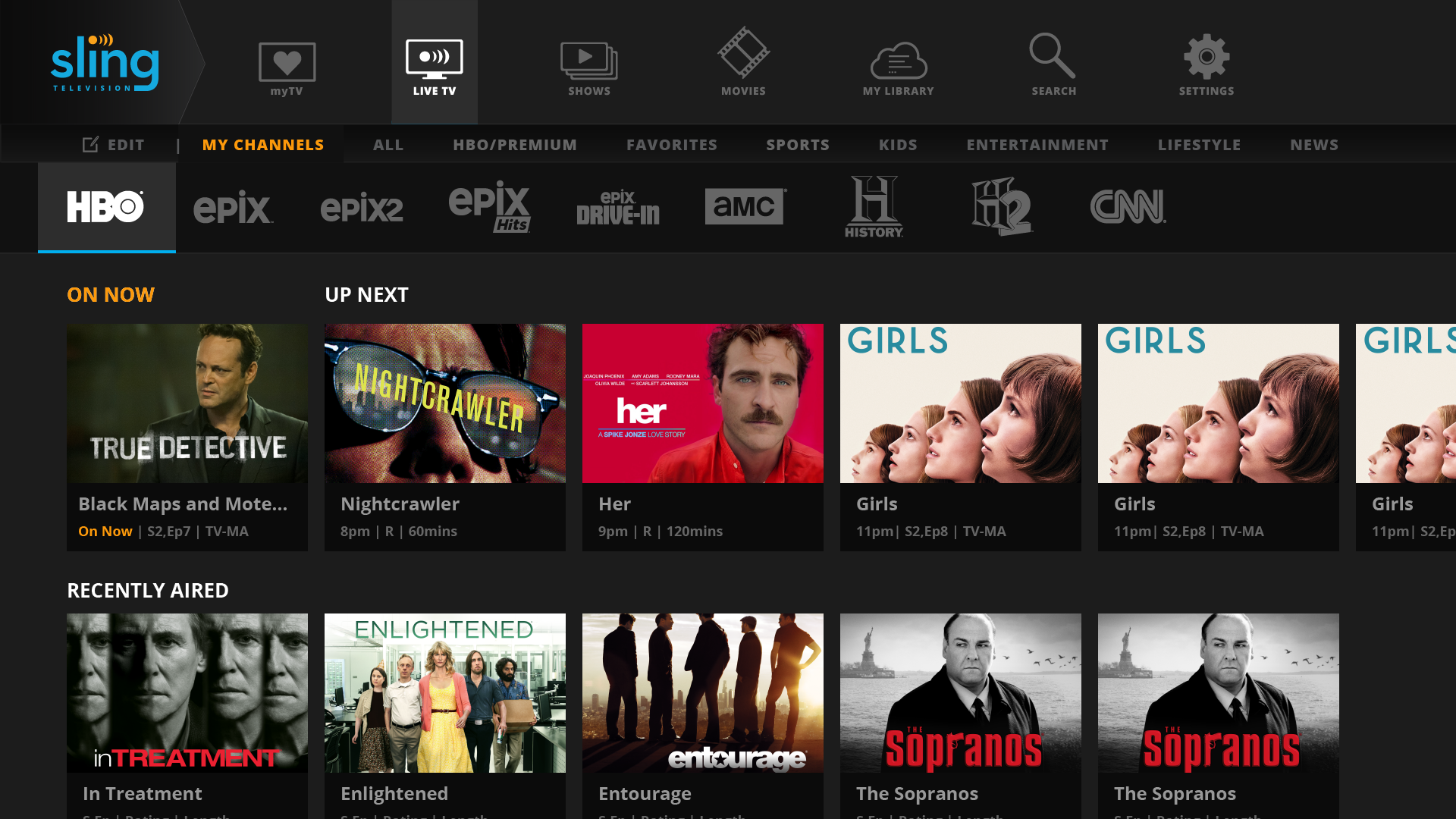
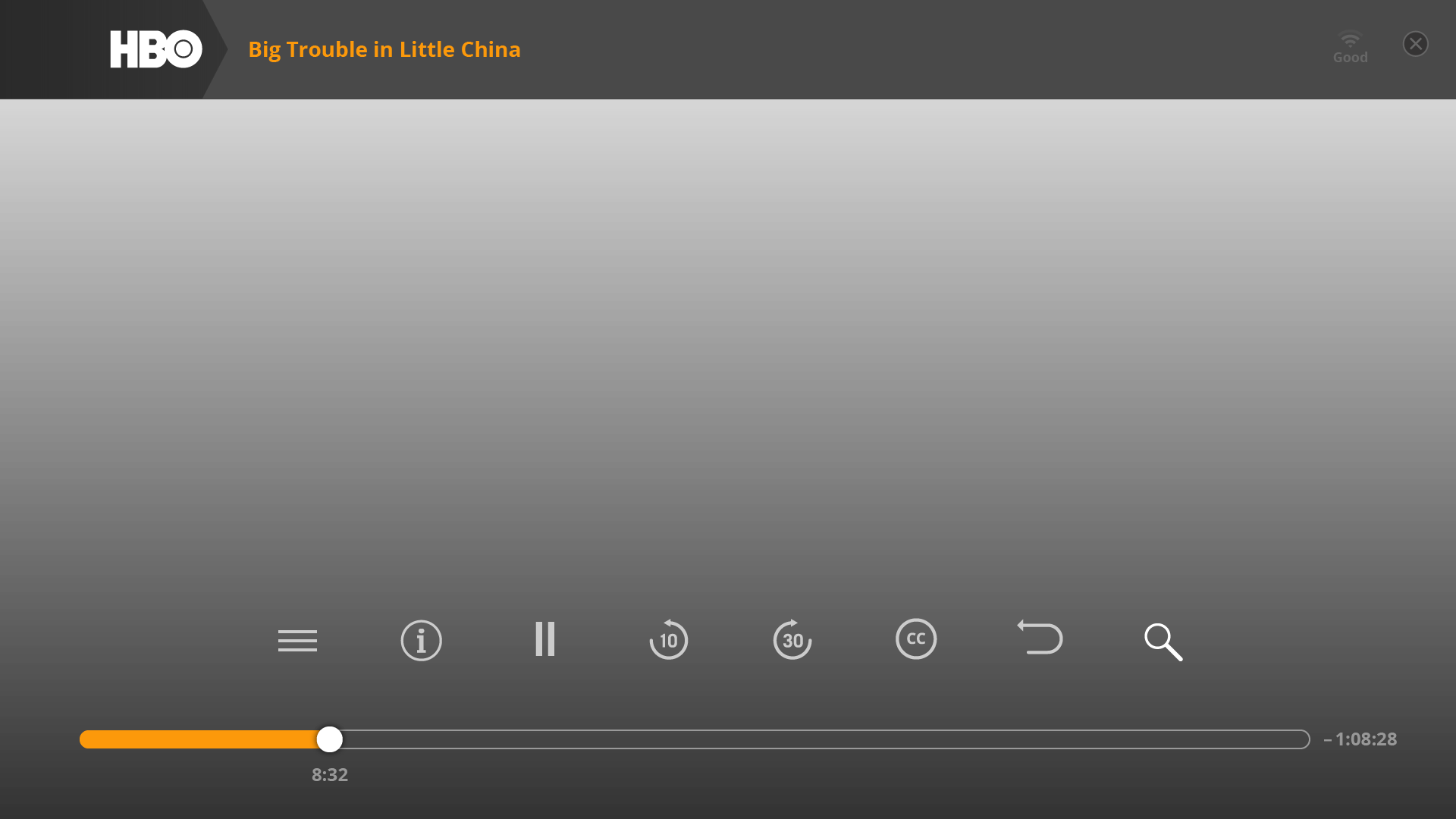
TV console UI 3.0 — scroll to explore. Live TV with ESPN and HBO content focus states, My TV, Movies content rows, and transport controls. All designed for remote-first navigation with d-pad focus management.
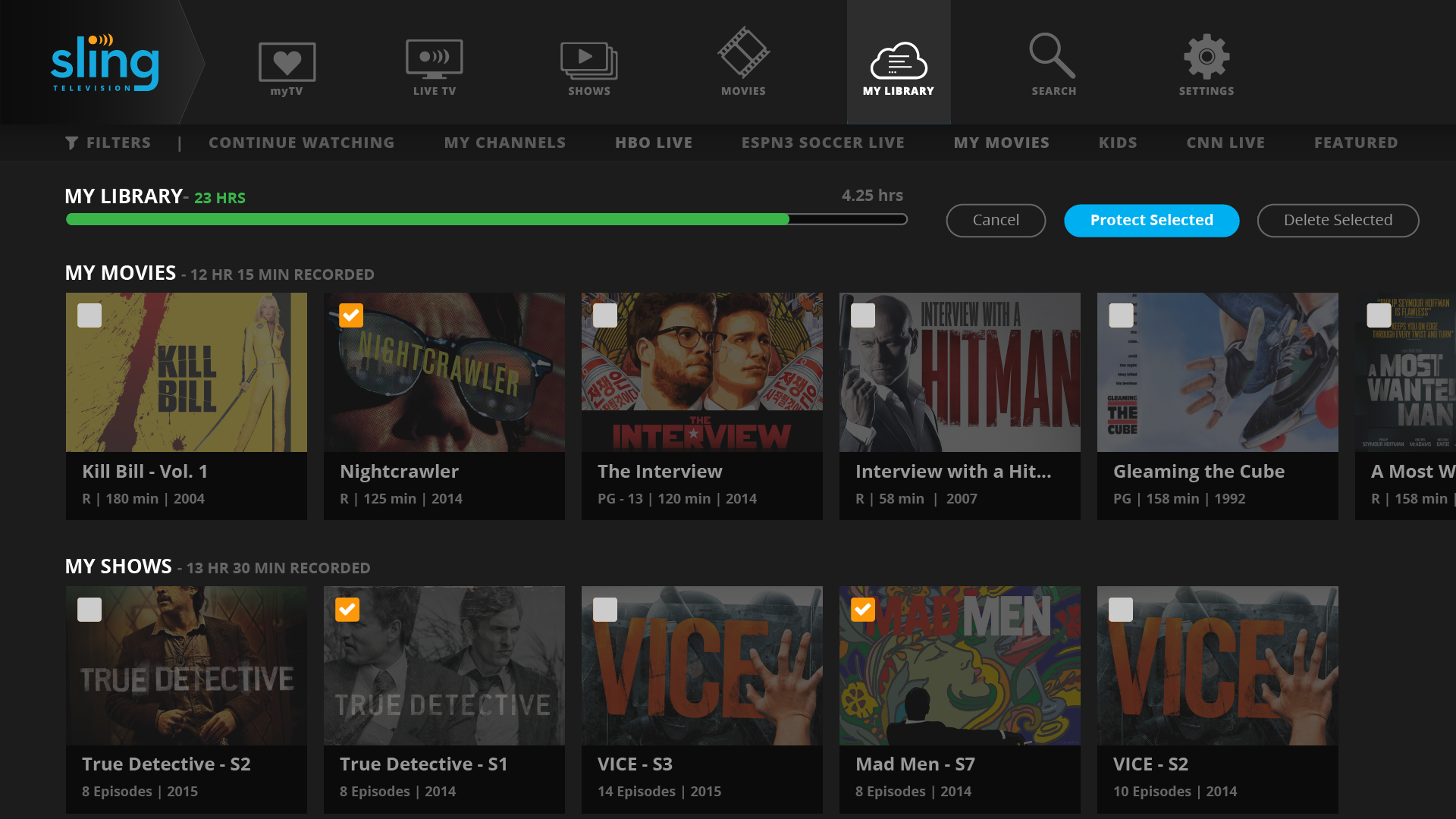
Cloud DVR — focus menu
Cloud DVR. Recordings library with focus state and action menu.
Cloud DVR — edit mode
DVR edit mode. Multi-select for batch recording management.
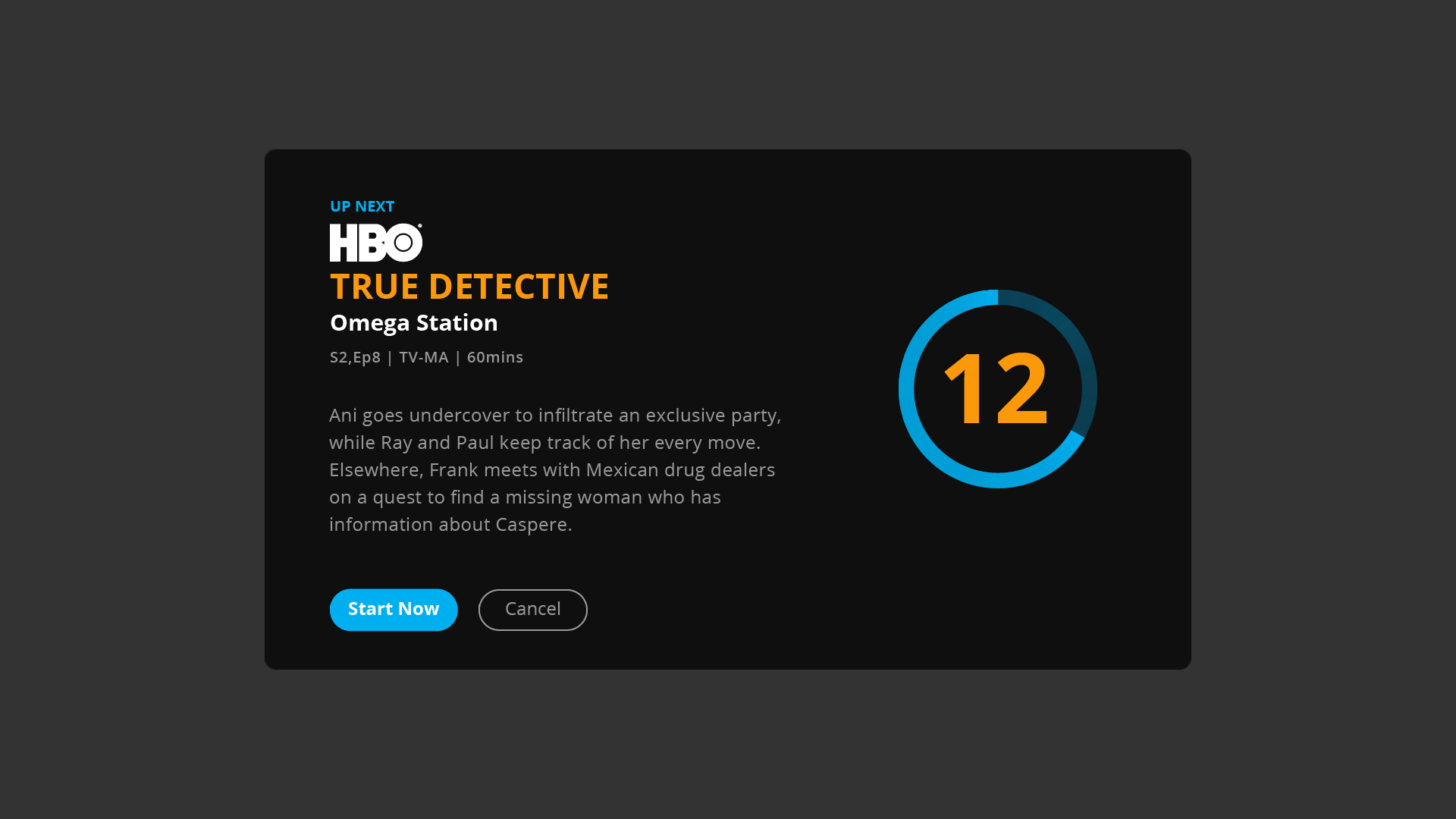
Episodic auto roll — next episode
Episodic auto-roll. Next episode countdown — respects the viewer's time without forcing autoplay.
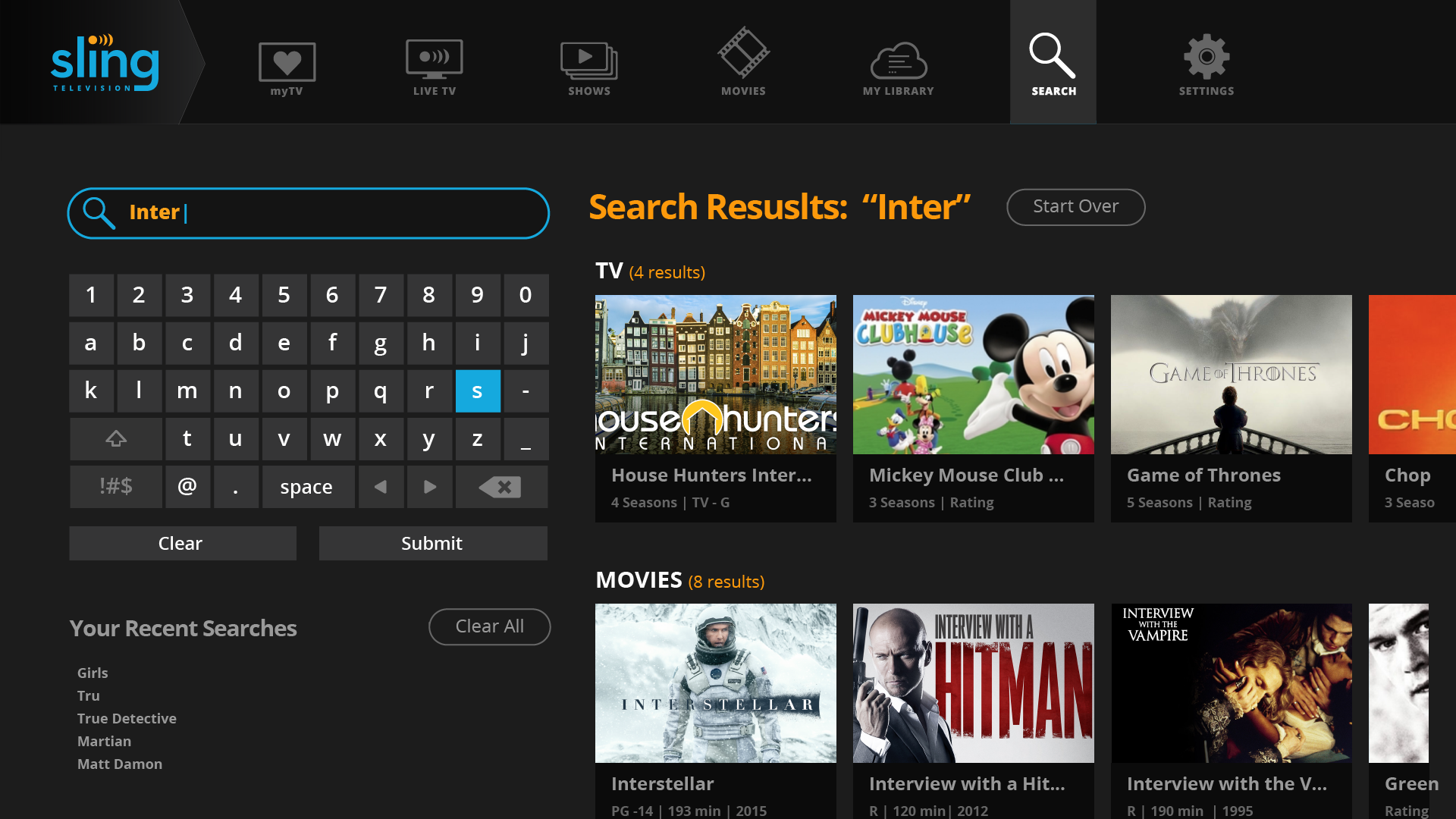
TV search — keyboard with results
Search. On-screen keyboard with live results — optimized for d-pad input speed.
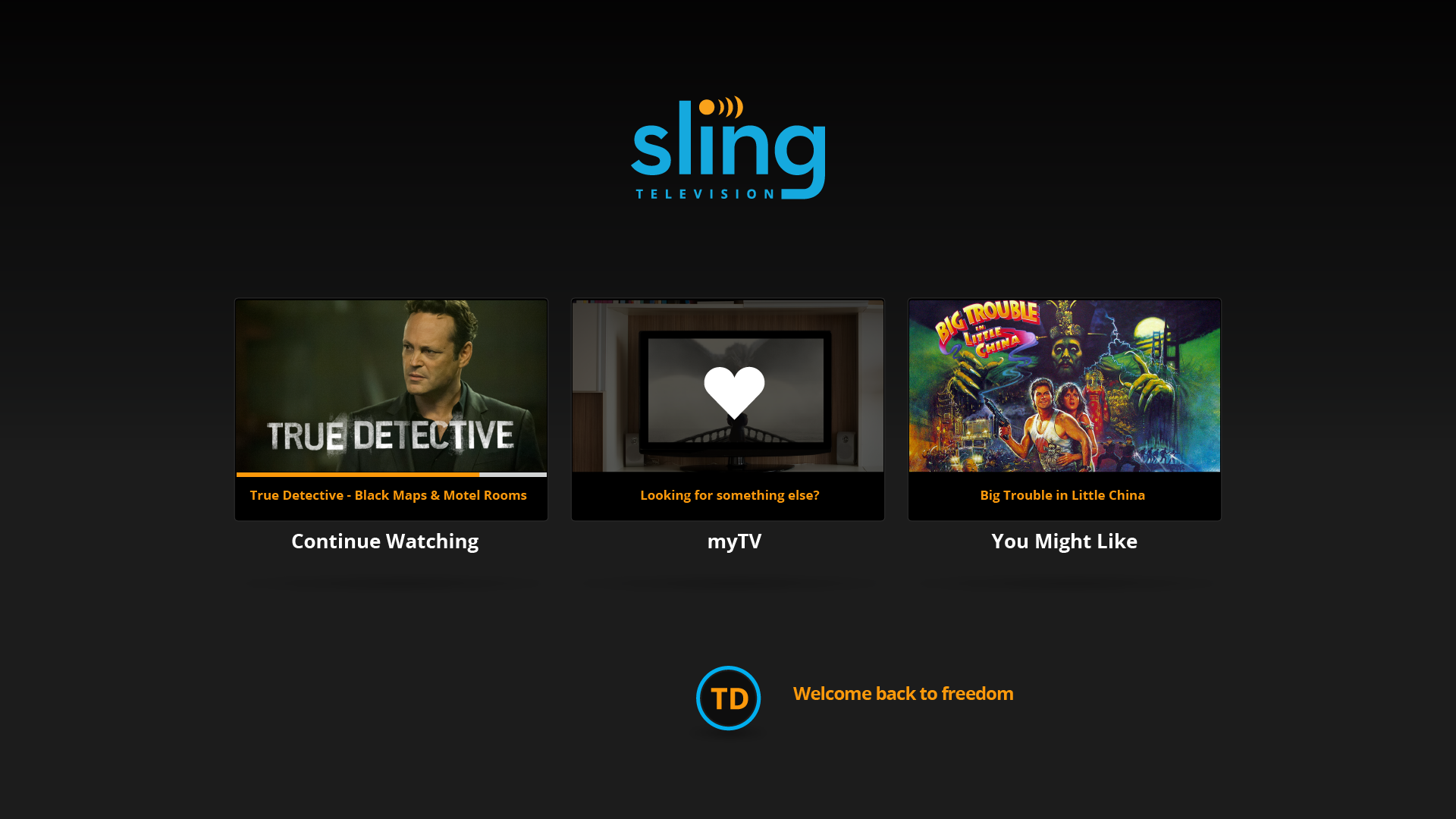
Profile action menu
Profile. Account switching and profile management from the TV interface.

Mobile App — iOS & Android

Live TV, sports, and on-demand in a single mobile experience built for both hands.

The mobile app was a different problem from TV entirely. Touch-first navigation, portrait and landscape modes, small screen real estate competing with content-rich experiences. The core design challenge was making live TV feel as natural on a phone as it did on a big screen — without sacrificing content density or forcing users into simplified, watered-down version of the full experience.

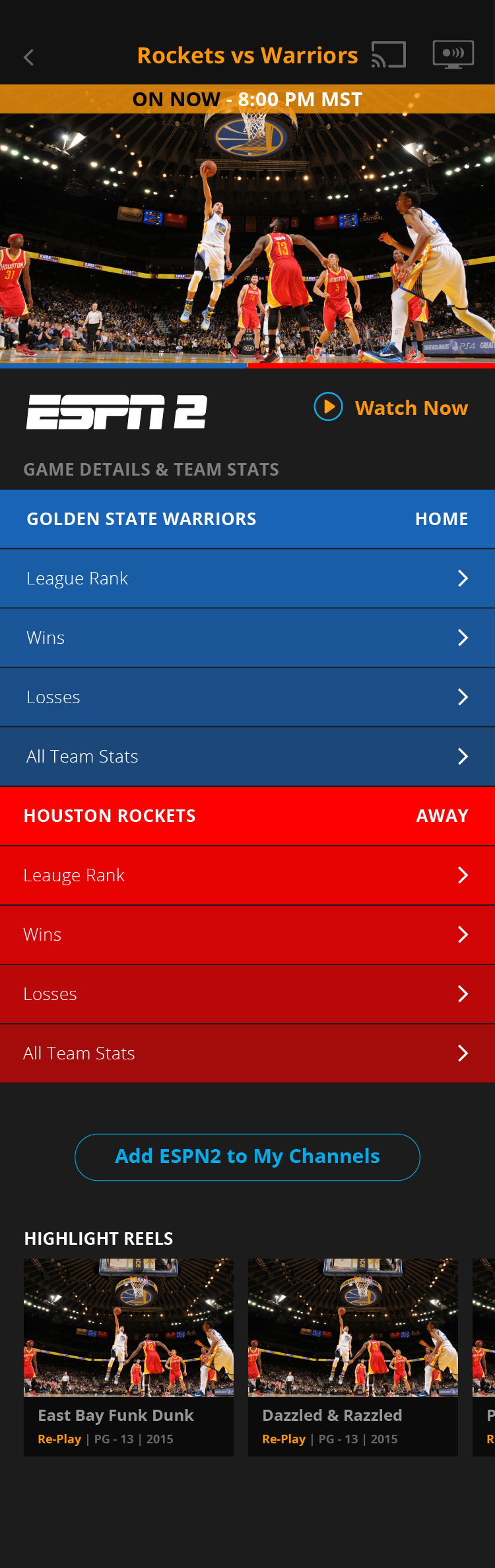
The sports hub was a particular focus. Live sports on mobile is a different viewing mode than scripted content — fans want scores, game context, and quick access to switch between live games. The live game detail view surfaced real-time scores, team context, and a video player in a single integrated layout without requiring the user to navigate away from their game to find information about it.
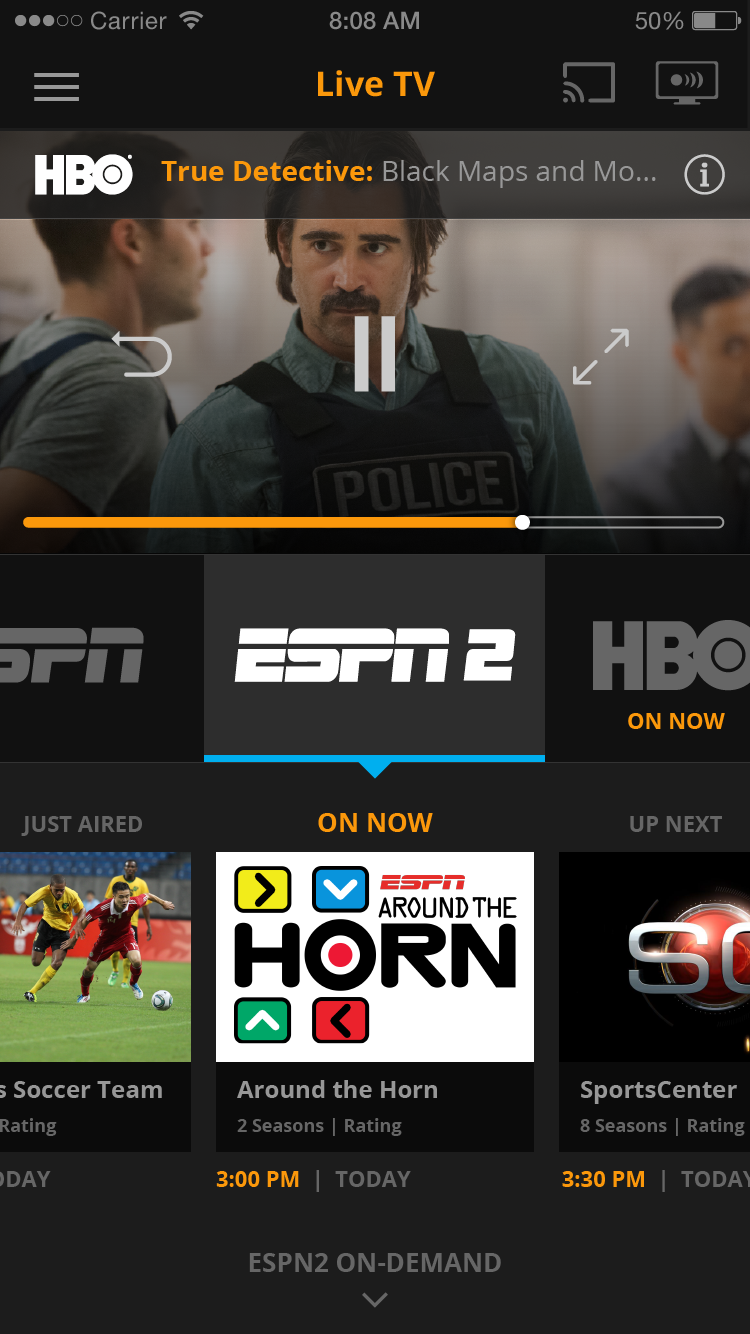
iPhone live TV video player
Live TV Player
Live game detail — Warriors vs Rockets
Live Game Detail
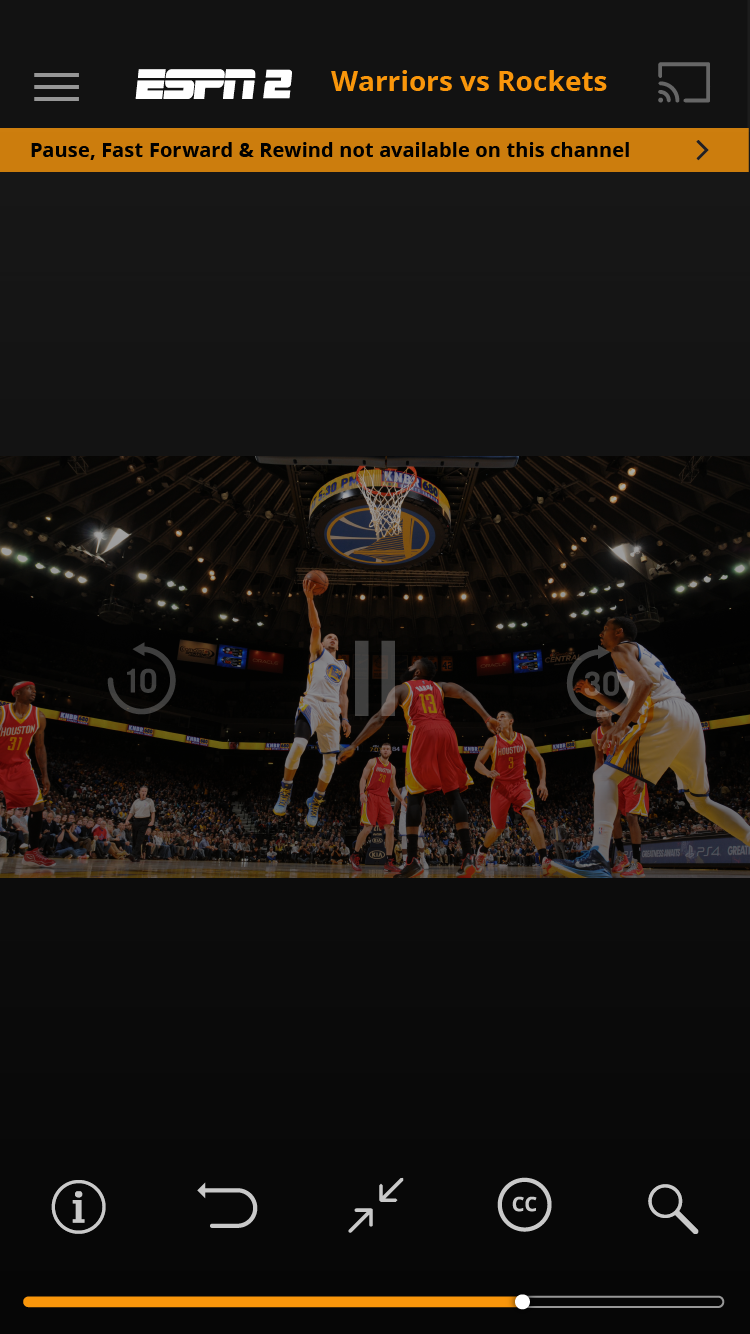
Video player — ESPN2 Warriors vs Rockets
Video Player
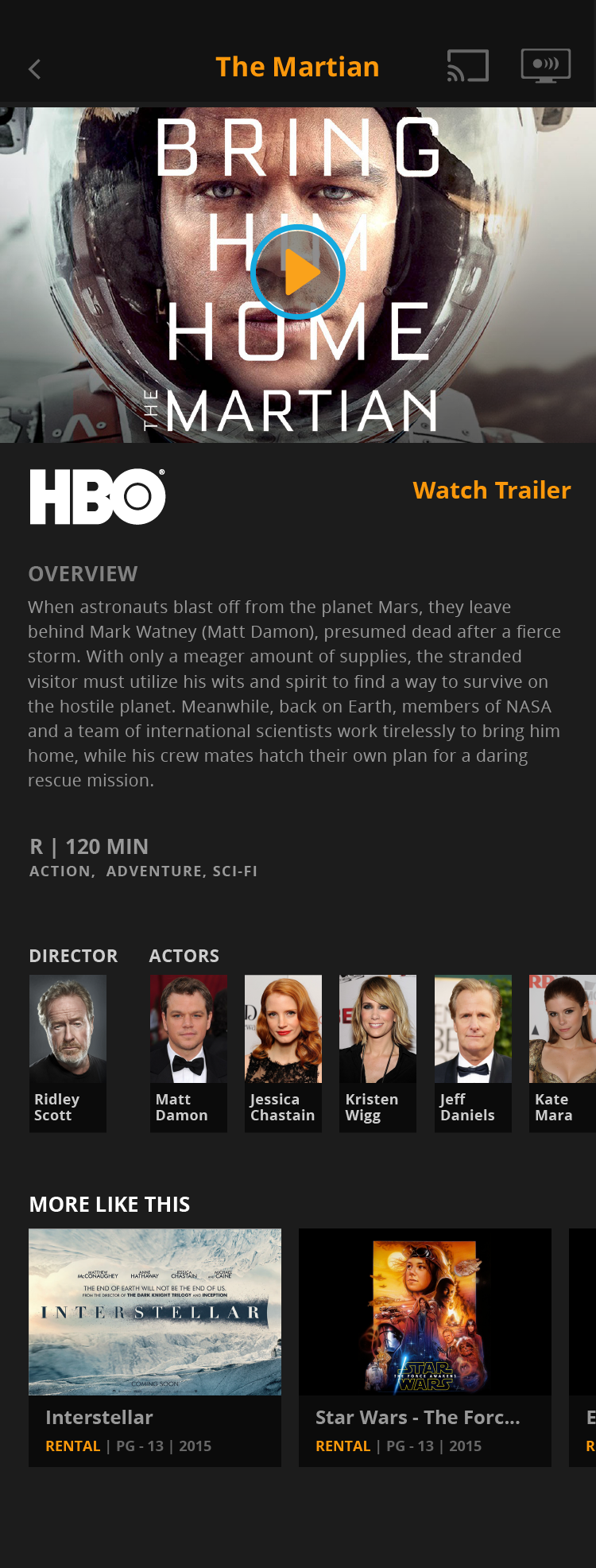
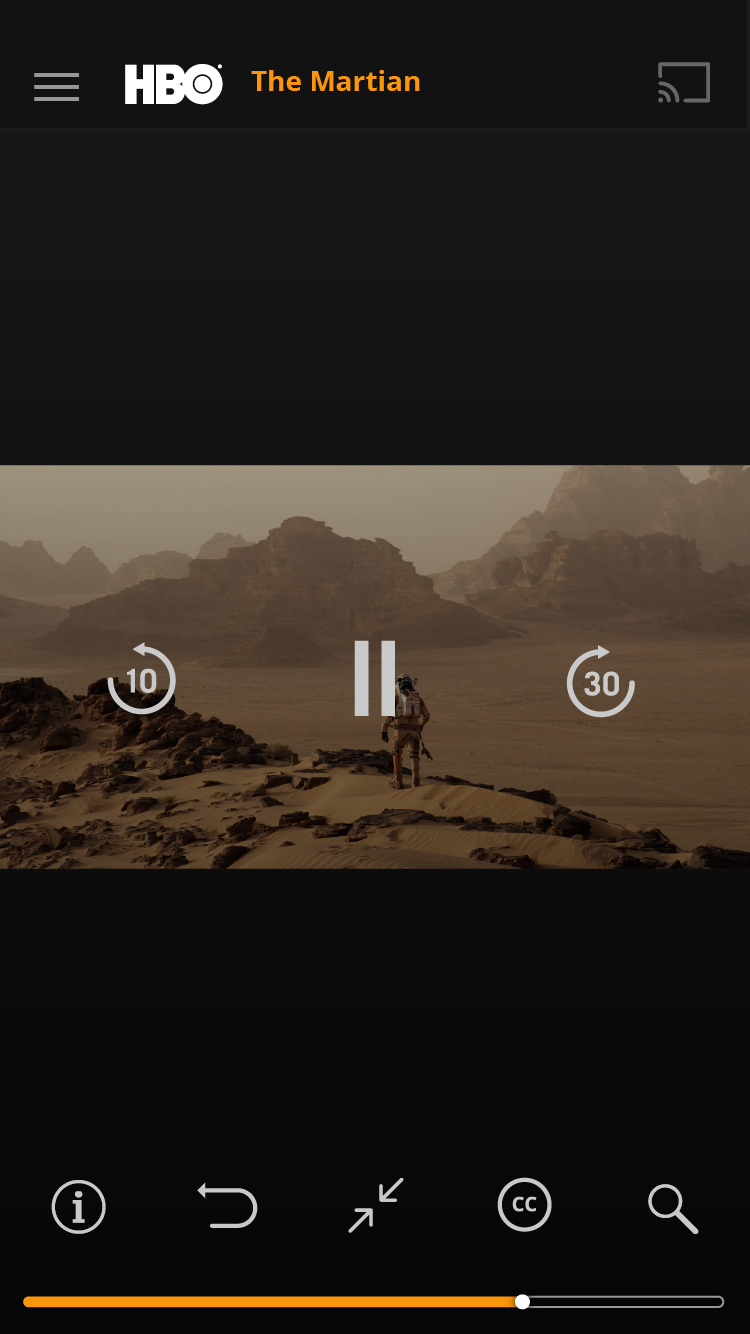
Movie detail — The Martian
Movie Detail
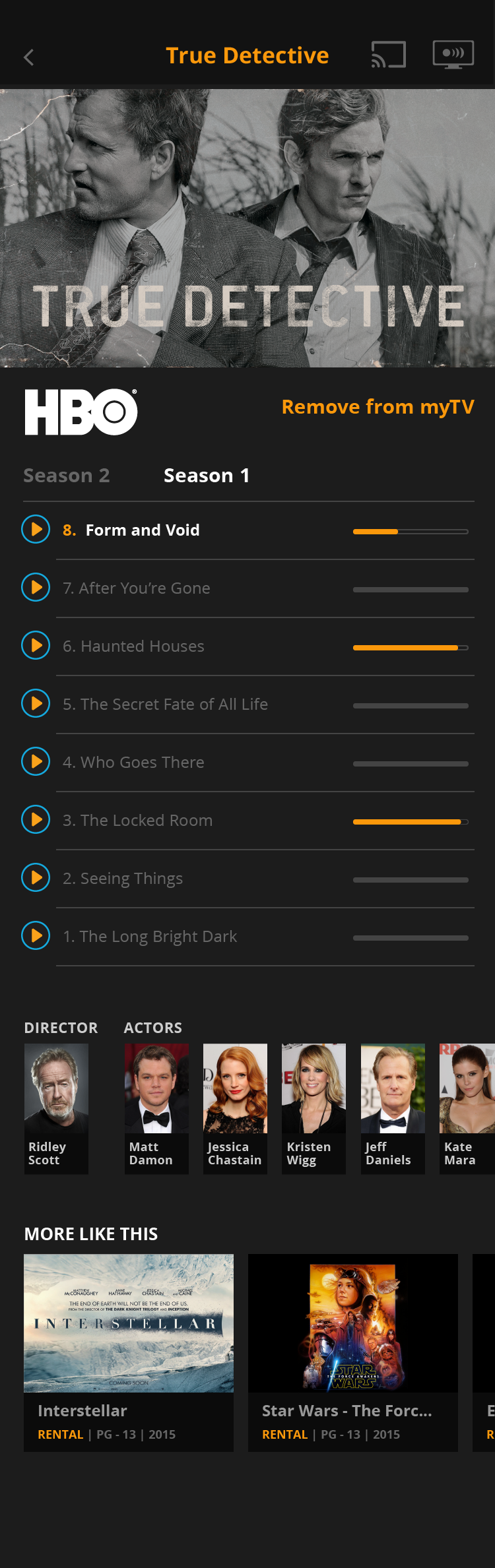
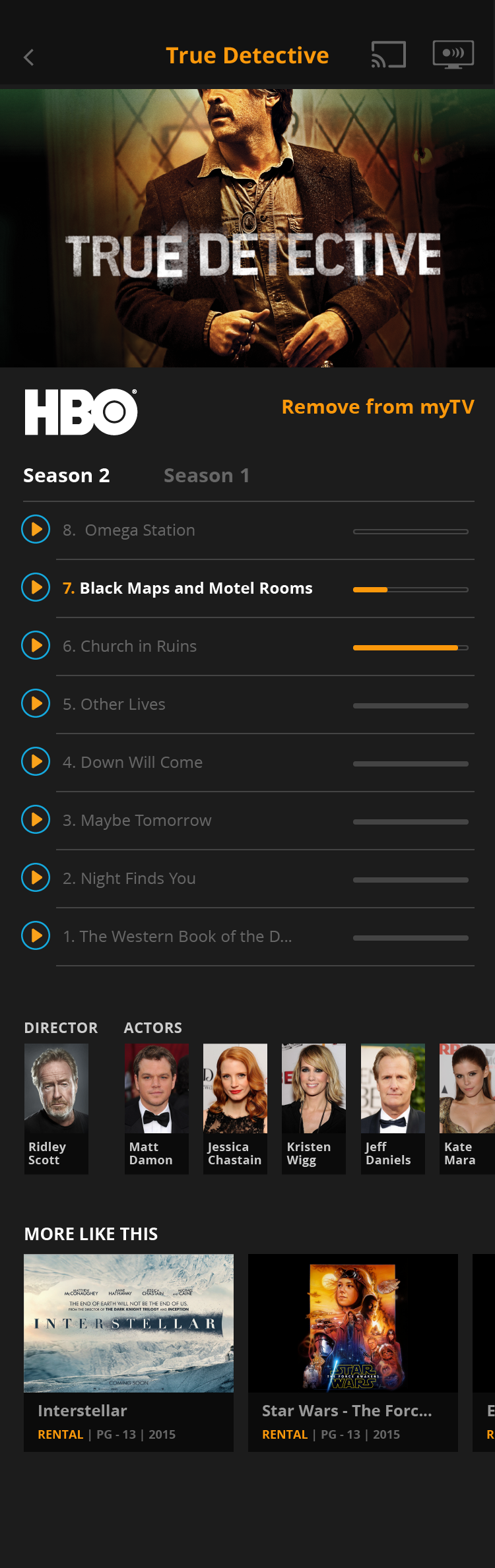
Series detail — True Detective S1
Series Detail
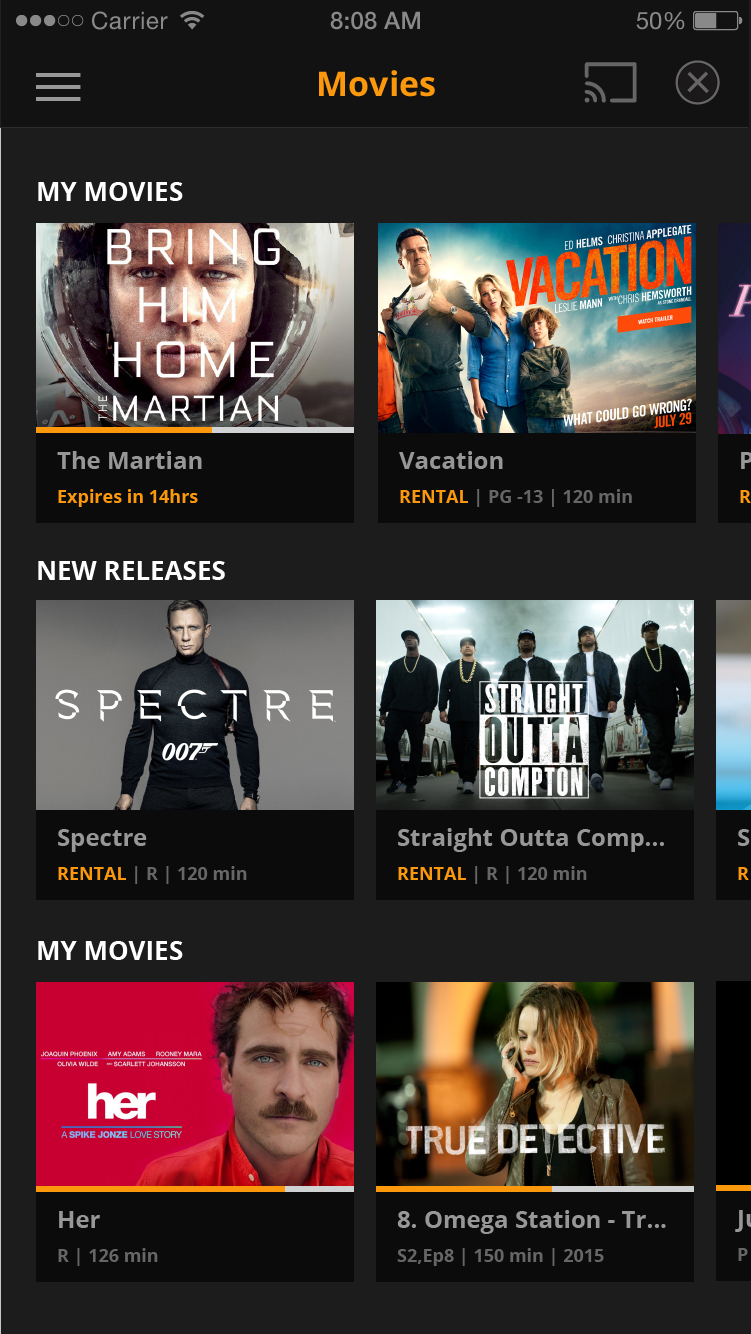
Mobile app — scroll to explore. Movies, My TV, search states, series detail (True Detective S1 + S2), settings, and video player. Full feature parity with TV, native mobile feel.

Industry Context

Sling launched at CES 2015 — the design was on the world stage from day one.

Sling TV debuted at CES 2015 as the first live TV streaming service in the United States, announced by DISH Network to considerable industry attention. The design work happening in the Acumen Digital lab was directly connected to a product that was redefining what television could be — not iterating on an established category, but pioneering one.

Sling TV CES presentation
Sling TV at CES 2015. The innovation lab work was connected to a product that premiered on the world stage — the first live TV streaming service in the United States.
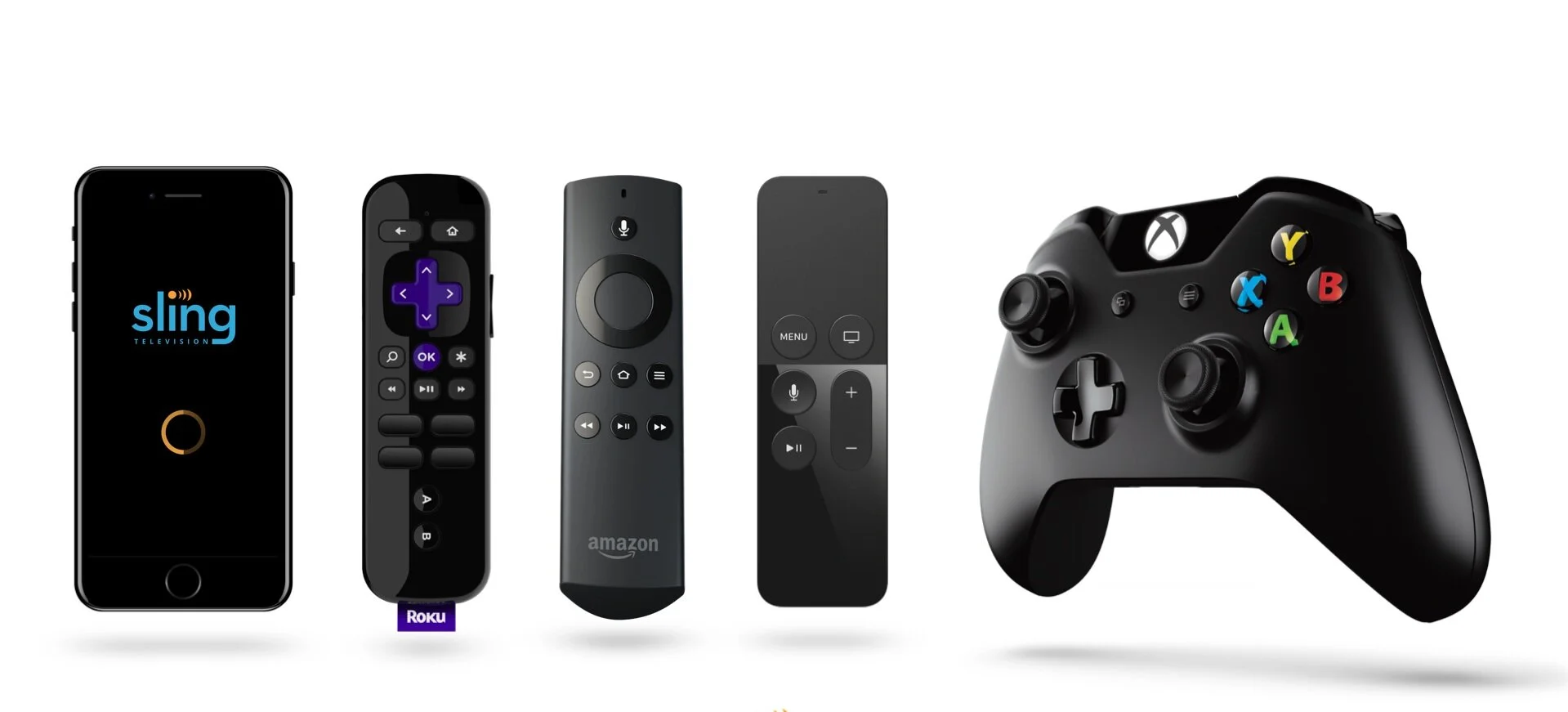
Sling devices — smartphone, Roku, Fire TV, Xbox controller
The device ecosystem. Sling's multi-device reality — smartphone, Roku remote, Fire TV remote, and Xbox controller. Every input model required distinct design consideration.

Outcomes

Innovation lab work that shipped at scale — and some that shaped the future.

The Acumen Digital engagement was explicitly dual-track: some work shipped directly into the Sling product, some remained as R&D that informed the product roadmap. The Channel Navigator, the mobile redesign, the TV console UI 3.0 — these were live design systems that reached millions of Sling subscribers. The exploratory work that didn't ship became part of how Sling thought about customer-controlled packaging and the future of cord-cutting.

Channel
Navigator
Custom channel lineup builder — the industry's first attempt at true à la carte streaming. Let customers cherry-pick their own plan rather than accept a fixed bundle.
6 surfaces
Smart TVs, Xbox, Roku, Fire TV, iOS, Android, and web — a single coherent streaming vision adapted across every device in a viewer's life.
Cross-vendor
leadership
Directed a team of 4 designers across organizational boundaries — the cross-vendor coordination model that foreshadowed later multi-team design leadership roles.
CPO-direct
Headhunted from STARZ and embedded in an innovation lab with direct CPO access — unrestricted scope to reimagine a product category that didn't yet have design conventions.
View all work
Back to portfolio
View all case studies →